Transparent computer Software images in PNG
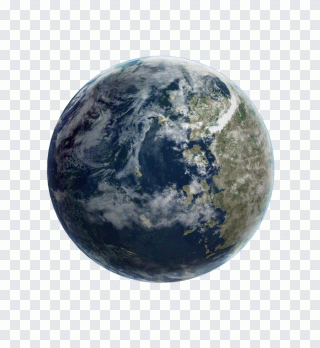
Gear badges and settings cogs with user silhouettes, a notepad app icon, network hub pictograms, a winking emoji and a rendered Earth, gathered under a very loose software label.
- Images
- 13
- Sizes
- 600 to 5 000 px
- Formats
- PNG with alpha, WebP, JPG
- Download
- free, no sign-up
Filters
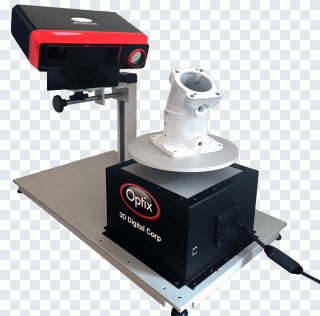 Structured-light 3D scanner scanner 3D PNG
 Template, suit, necktie, formal Wear PNG
 Manager Computer Icons Button, Icon Free PNG
 Gray funnel illustration, triangle glass PNG
 NewBlue EZCast Computer Software Wirecast PNG
 Computer Icons Directory, cool circle PNG
 Manipulation Tutorial Planet Rendering PNG
 Triangle shape art illustration, Arch Linux PNG
 Computer Icons Measuring Scales, Scale PNG
 Computer Icons Application software Text PNG
 Brown scroll animated graphics, Cavallini PNG
 Heart Symbol, Eucharist, First Communion PNG
 Pink purple font, Mimes jpeg, purple, violet PNG
What actually fits software
The gears, the notepad and the hub-with-nodes symbol are the pieces that read as programs and settings. Use the cog with a person inside for account preferences, the notepad for an editor button and the node diagram for integrations or APIs.
Stray items
The source tag also caught a latex mask, a mountain shape, neon walking figures and a vintage ribbon plaque. They are fine images in their own right, but for a page about apps it is quicker to scan the icons first and ignore the rest.
Questions and answers
Are all computer Software images really transparent?
Real. We parse the PNG structure and keep only files with an alpha channel; anything with a painted-in background has been removed.
What sizes are available?
In computer Software the sizes run from 600 to 5 000 px on the long side. Large ones are easiest to find with the “Largest” sort or the minimum-width filter.
How many files can I download?
No sign-up needed. The file is served after a short wait on the download page.
What is the licence?
Terms depend on the specific image. We neither sell files nor issue licences; for commercial work check the source named on the image page.